


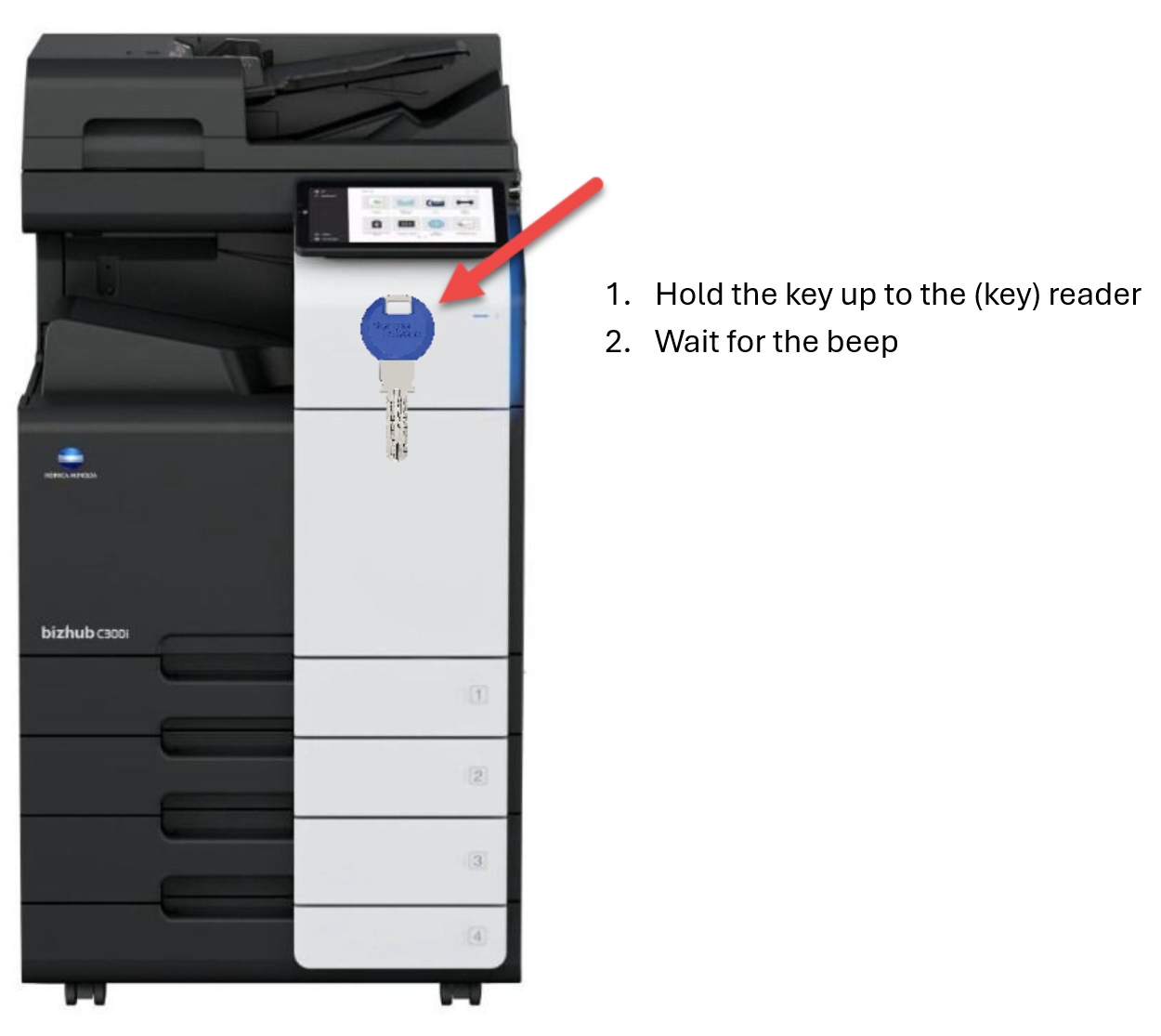
Step 1: Swipe the Kaba-Key at the card reader on the printer.
You can register multiple cards. When your Kaba-key or crad is registered, the date and time of the registration is recorded together with the card number.
A 6-digit card registration code appears. The code is valid for 1 hour.
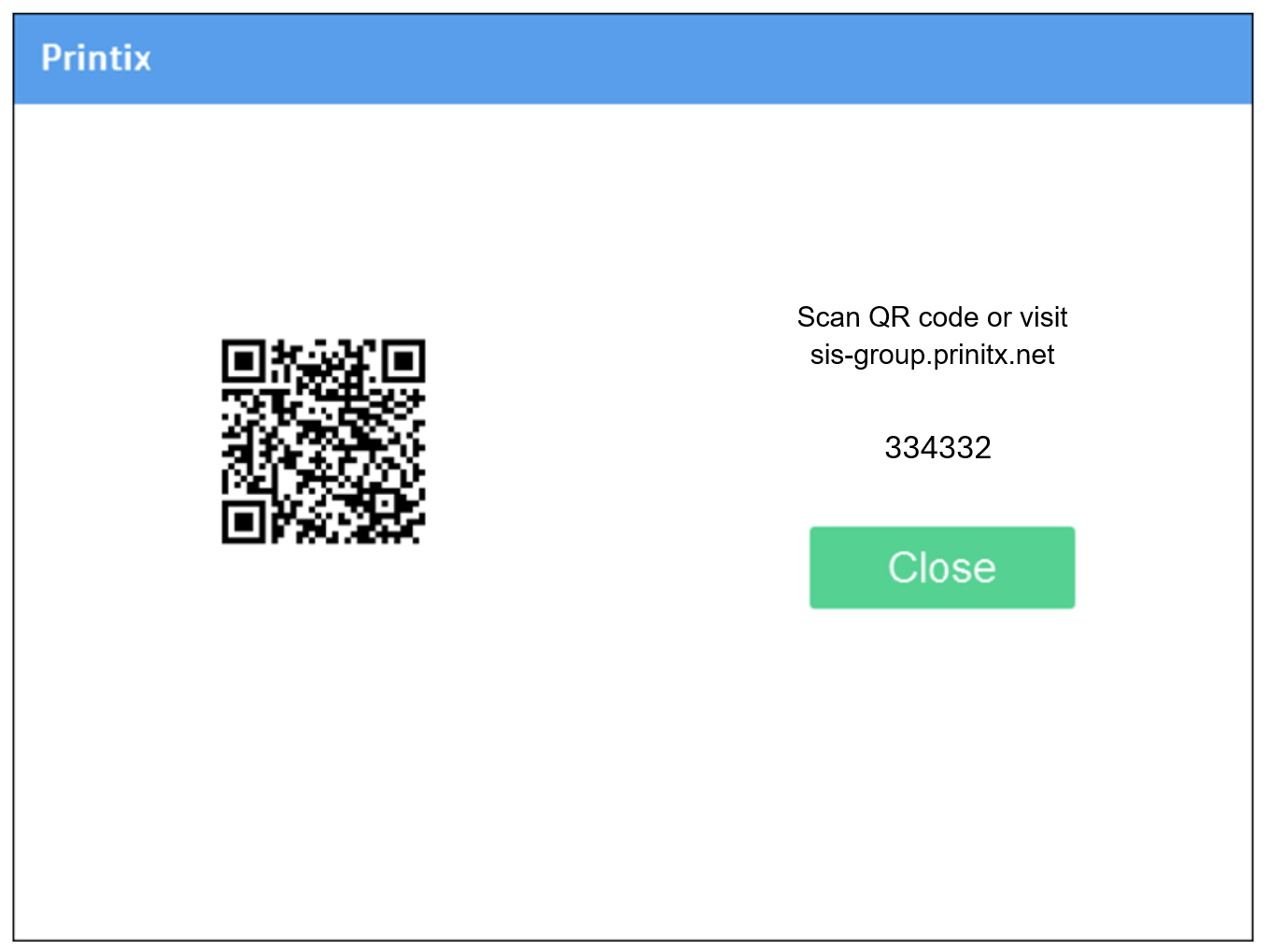
Make a note of the 6-digit card registration code and enter it later in the web Printix App on your computer.
Step 2: Register the Schoolkey on your computer.
Visit
https://sis-group.printix.net/ or use this link.
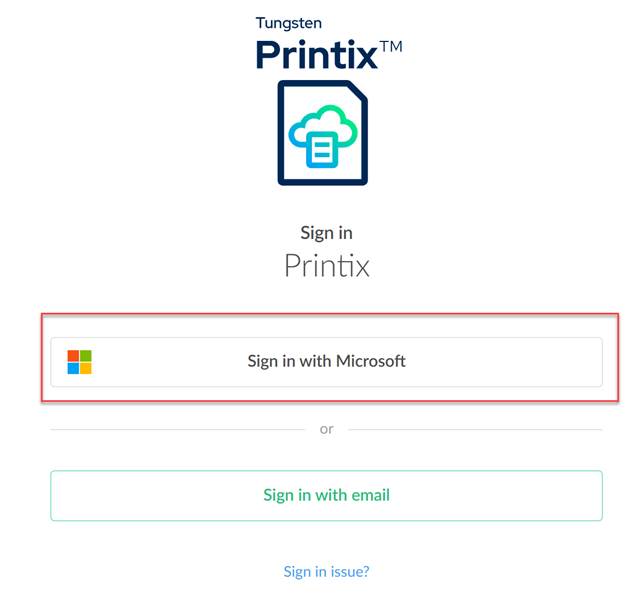
If you have to “Sign in” use Sign in with Microsoft
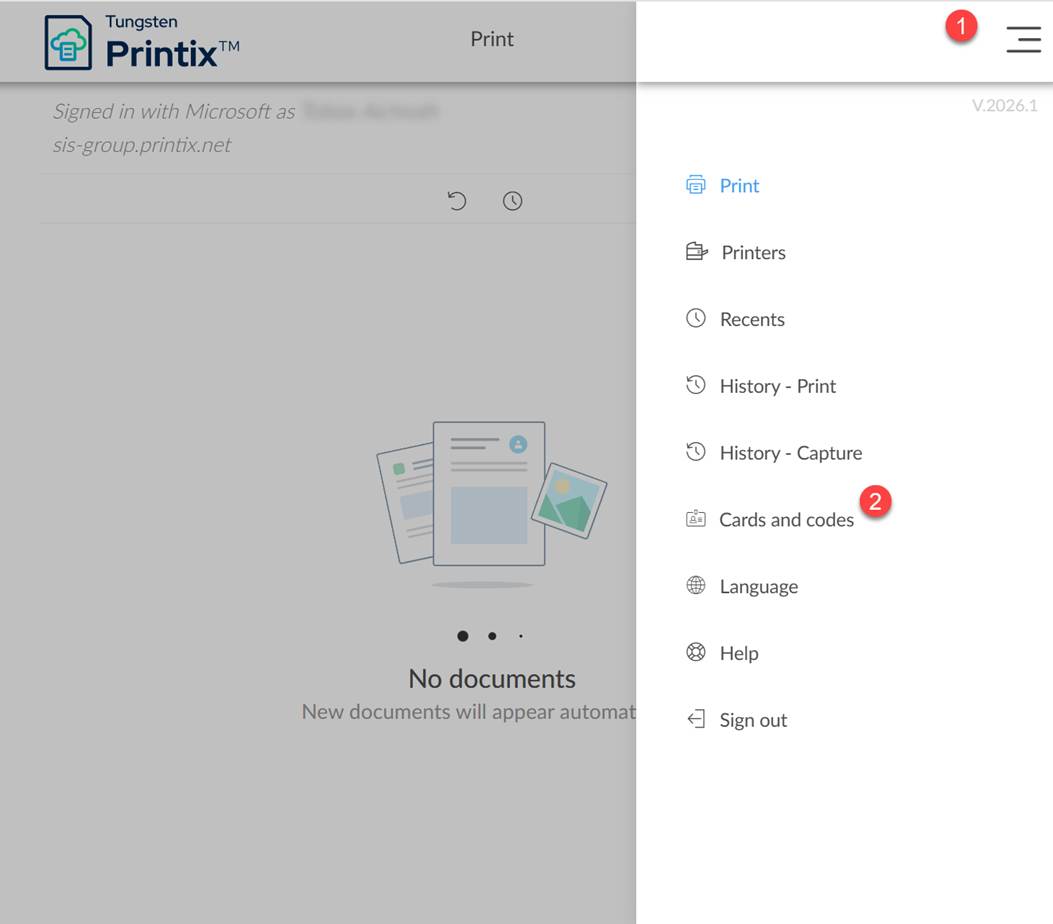
- Select Menu
 > Cards and codes.
 - Select Register card.
- Enter the 6-digit card registration code you saw previously and select Save.
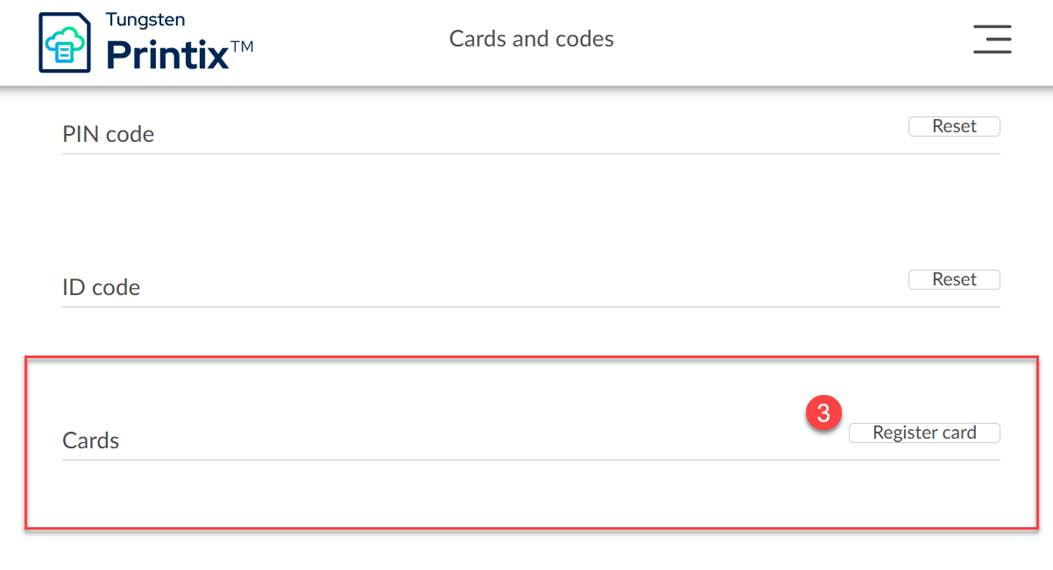
3. Test your login
Now hold your key to the Konica Minolta Staffroom printer and log in to the Staffroom printer without a PIN.
You have the options here:
- Printers
- Copy
- Scan to your M365 email address
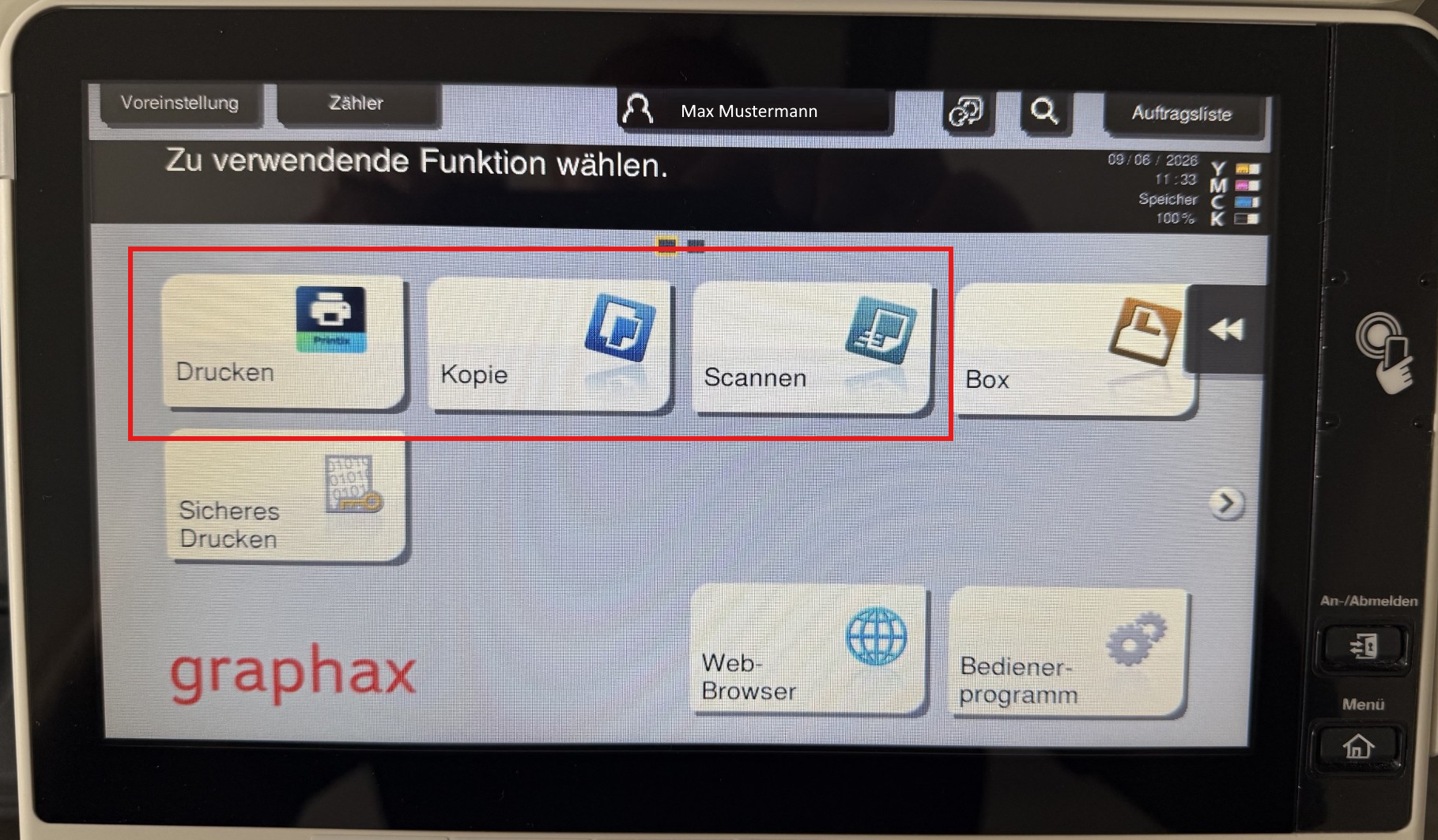
You can now use the following functions on the printer as usual with Printix GO:
Scanning: your email address is stored directly and you can get started with the ME icon
Copy: as before, you can copy and set the settings for your copy jobs
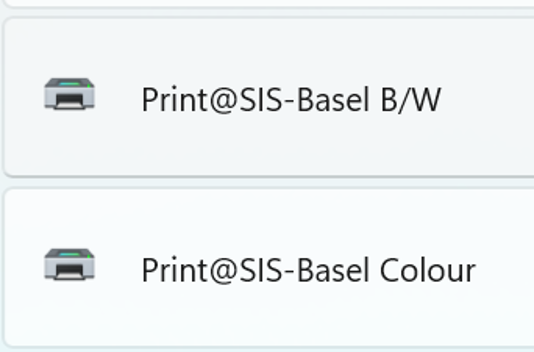
Printing: In the future, there will be 2 queues for the Bizhub Staffroom printers.
Print@SIS-Location B/W --> for Black and White Printing
Print@SIS-Location Colour --> for Colour Prints
In addition, the default values are always "double-sided" – make sure to choose the settings correctly beforehand.
New perspective, example: SIS Basel:
If something doesn't work please contact local IT support at your location – we will help you quickly.
New Ticket - Support | SIS Swiss International Schools
Thank you for your understanding and support.

